Ron Economos revisou este gist 10 years ago. Ir para a revisão
1 file changed, 7 insertions, 1 deletion
gr-paint.md
| @@ -73,4 +73,10 @@ A quick tutorial on how to get high quality images from gr-paint and Gqrx. | |||
| 73 | 73 | ||
| 74 | 74 |  | |
| 75 | 75 | ||
| 76 | - | 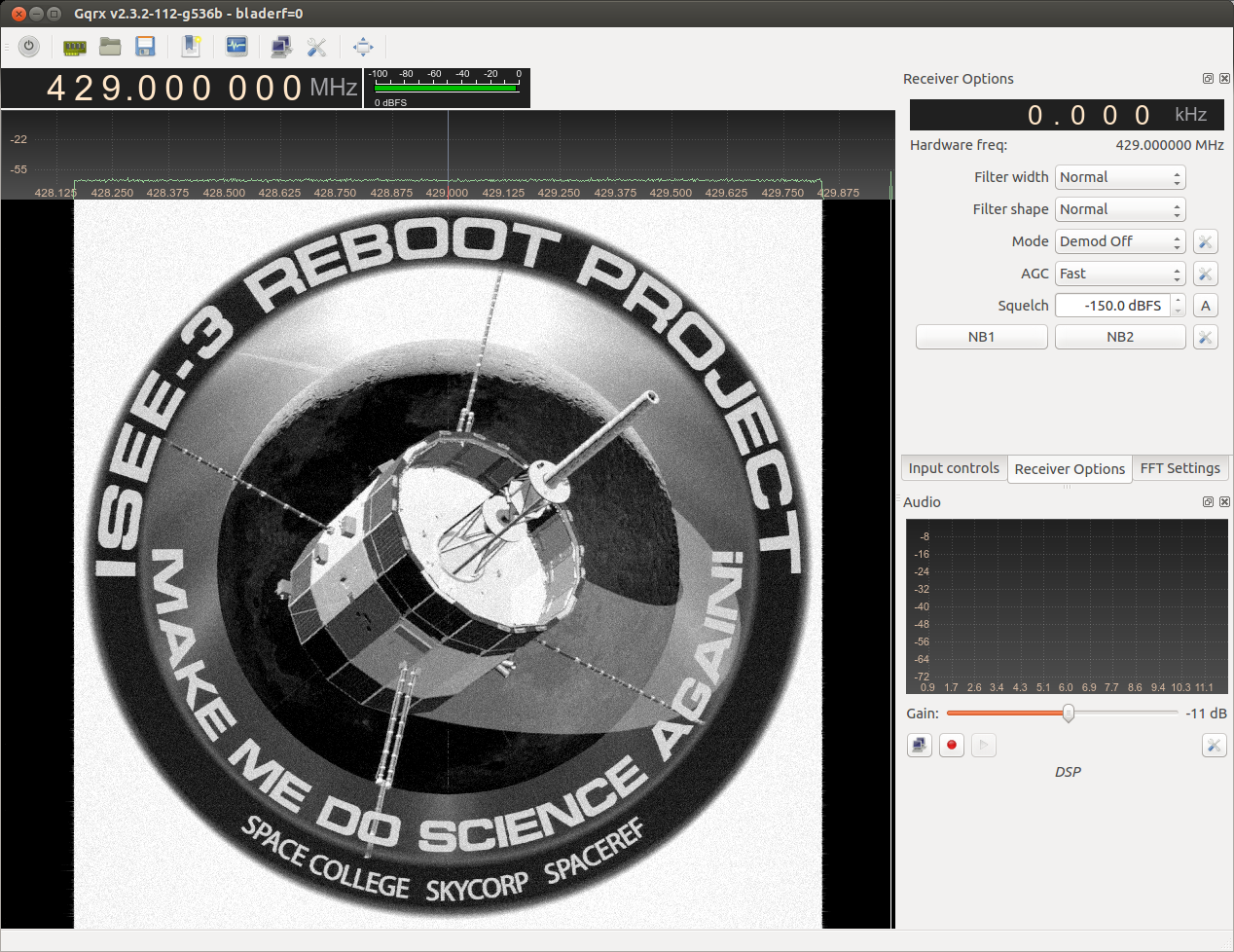 | |
| 76 | + |  | |
| 77 | + | ||
| 78 | + |  | |
| 79 | + | ||
| 80 | + |  | |
| 81 | + | ||
| 82 | + |  | |
Ron Economos revisou este gist 10 years ago. Ir para a revisão
1 file changed, 2 insertions
gr-paint.md
| @@ -18,6 +18,8 @@ A quick tutorial on how to get high quality images from gr-paint and Gqrx. | |||
| 18 | 18 | ||
| 19 | 19 |  | |
| 20 | 20 | ||
| 21 | + |  | |
| 22 | + | ||
| 21 | 23 | ## Black and white waterfall hack | |
| 22 | 24 | ||
| 23 | 25 | * In the file gqrx/src/qtgui/plotter.cpp, make the following change. | |
Ron Economos revisou este gist 10 years ago. Ir para a revisão
1 file changed, 5 insertions, 1 deletion
gr-paint.md
| @@ -67,4 +67,8 @@ A quick tutorial on how to get high quality images from gr-paint and Gqrx. | |||
| 67 | 67 | ||
| 68 | 68 | * High contrast images work best, especially drawings. | |
| 69 | 69 | ||
| 70 | - |  | |
| 70 | + |  | |
| 71 | + | ||
| 72 | + |  | |
| 73 | + | ||
| 74 | + |  | |
Ron Economos revisou este gist 10 years ago. Ir para a revisão
1 file changed, 70 insertions
gr-paint.md(arquivo criado)
| @@ -0,0 +1,70 @@ | |||
| 1 | + | # High Quality Spectrum Painting | |
| 2 | + | ||
| 3 | + | A quick tutorial on how to get high quality images from gr-paint and Gqrx. | |
| 4 | + | ||
| 5 | + |  | |
| 6 | + | ||
| 7 | + | ## Setup | |
| 8 | + | ||
| 9 | + | * Use a newer version of Gqrx with Ref. level and dB range sliders. | |
| 10 | + | * Set the FFT size in Gqrx to 32768 | |
| 11 | + | * Set the waterfall rate to 50 or 60 fps | |
| 12 | + | ||
| 13 | + | ||
| 14 | + | ## Calibration | |
| 15 | + | ||
| 16 | + | * Transmit the supplied ramp.bin file. | |
| 17 | + | * Adjust the Ref. level and dB range sliders so that the test pattern lowest level bar is at black or near black and the highest level bar is at bright yellow. | |
| 18 | + | ||
| 19 | + |  | |
| 20 | + | ||
| 21 | + | ## Black and white waterfall hack | |
| 22 | + | ||
| 23 | + | * In the file gqrx/src/qtgui/plotter.cpp, make the following change. | |
| 24 | + | ||
| 25 | + | ``` | |
| 26 | + | // default waterfall color scheme | |
| 27 | + | #if 0 | |
| 28 | + | for (int i = 0; i < 256; i++) | |
| 29 | + | { | |
| 30 | + | // level 0: black background | |
| 31 | + | if (i < 20) | |
| 32 | + | m_ColorTbl[i].setRgb(0, 0, 0); | |
| 33 | + | // level 1: black -> blue | |
| 34 | + | else if ((i >= 20) && (i < 70)) | |
| 35 | + | m_ColorTbl[i].setRgb(0, 0, 140*(i-20)/50); | |
| 36 | + | // level 2: blue -> light-blue / greenish | |
| 37 | + | else if ((i >= 70) && (i < 100)) | |
| 38 | + | m_ColorTbl[i].setRgb(60*(i-70)/30, 125*(i-70)/30, 115*(i-70)/30 + 140); | |
| 39 | + | // level 3: light blue -> yellow | |
| 40 | + | else if ((i >= 100) && (i < 150)) | |
| 41 | + | m_ColorTbl[i].setRgb(195*(i-100)/50 + 60, 130*(i-100)/50 + 125, 255-(255*(i-100)/50)); | |
| 42 | + | // level 4: yellow -> red | |
| 43 | + | else if ((i >= 150) && (i < 250)) | |
| 44 | + | m_ColorTbl[i].setRgb(255, 255-255*(i-150)/100, 0); | |
| 45 | + | // level 5: red -> white | |
| 46 | + | else if (i >= 250) | |
| 47 | + | m_ColorTbl[i].setRgb(255, 255*(i-250)/5, 255*(i-250)/5); | |
| 48 | + | } | |
| 49 | + | #else | |
| 50 | + | for (int i = 0; i < 256; i++) | |
| 51 | + | { | |
| 52 | + | if (i < 64) | |
| 53 | + | { | |
| 54 | + | m_ColorTbl[i].setRgb(i*4, i*4, i*4); | |
| 55 | + | } | |
| 56 | + | else | |
| 57 | + | { | |
| 58 | + | m_ColorTbl[i].setRgb(255, 255, 255); | |
| 59 | + | } | |
| 60 | + | } | |
| 61 | + | #endif | |
| 62 | + | ``` | |
| 63 | + | ||
| 64 | + | * Note that the levels will be compressed, so the waterfall will need to be re-calibrated. | |
| 65 | + | ||
| 66 | + |  | |
| 67 | + | ||
| 68 | + | * High contrast images work best, especially drawings. | |
| 69 | + | ||
| 70 | + |  | |